Netgear’s ReadyNAS Pro Review – A NAS RAID System Built For Photographers

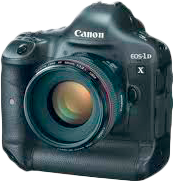
Canon 1Dx FF DSLR CameraThere is no doubt that the digital age of technology has changed the photo industry and how we all approach taking photographs. With the price of flash memory cards continuing to drop and DSLR’s increasing in megapixel size (Means larger file sizes) while at the same time becoming more affordable to the masses, new challenges arise that we must overcome. A very common question I get from my photography workshop students is, “How do you store your images?”. In reality, there are a lot of options out there. Between cost standard hard drives, the speed of SSD drives, redundancy of RAID systems, availability of bluray and dvd burners and the rising popularity of cloud storage…it is no wonder that amateur and professional photographers alike might get confused.

While each of those options has its positives and negatives, today I here to talk about Netgear’s ReadyNAS Pro 4 and 6 bay RAID systems. RAID systems tend to be the preferred choice for storing images for many professional photographers because their ease of access, unlike cloud storage options like Carbonite which keep your files online, and their redundancy in protecting your images from hard drive failure, unlike single hard drive and SSD options.

What is RAID?

RAID stands for Redundant Array of Independent Disks. Basically it is a digital storage technology that allows you to combine multiple hard disks into one main unit. Data is then distributed across the hard drives in the array in one of several different ways, called RAID levels. Depending on if you want to focus on redundancy (keeping your data safe from corruption or hard drive failure) or performance (the speeds of accessing and writing data), you have the ability to choose the RAID level that works for you and your needs.

RAID Levels

Here is a quick and simple breakdown of the most common RAID Levels:

RAID 0: Known as striped. Requires a minimum or 2 hard drives. Data is spread across two or more hard drives, allowing for faster performance and more available space (Two 1TB hard drives would = a 2 TB RAID 0 array). Data is however not duplicated or “mirrored” so a hard drive corruption or failure from any single drive in the RAID array will cause COMPLETE failure and loss of data.

RAID 1: Known as mirrored. Requires a minimum or 2 hard drives. Data is duplicated across two or more hard drives allowing for your data to have more redundancy or protection, but less space (Two 1TB hard drives would = 1 TB of available space in a RAID 1 array). If one hard drive fails, the other still contains all the data from the RAID array.

RAID 5: Striped and distributed single parity. Requires a minium of 3 hard drives. Data is spread across multiple hard drives like Raid 0, but a single hard drive maintains the data of one of the other hard drives which acts as a back up. This allows you to maintain the RAID array and have no data loss if one of the hard drives in the array fails. This is considered the middle ground between RAID 0 and 1.

RAID 6: Striped and with double parity. Requires a minium of 4 hard drives. Is exactly the same as RAID 5 except you have two hard drives that are maintaining data as back ups instead of one. This allows you to have two hard drives fail inside the RAID array while still having no loss of data. This is typically a better choice for arrays with alot of hard drives.

All of these options have one large drawback. If you do have a hard drive failure, the corruption of data or just want to expand the size of your RAID system, you will be forced to reformat and recreate your RAID array once you have replaced the hard drives. This is a very time consuming process. The solution….custom RAID technology.

Custom RAID Levels:  Companies like Drobo and Netgear have created their own RAID technology that allows you to easily add, replace or expand  hard drives from your array, without any need for reformatting or moving your data from disk to disk. I will talk about each of these technologies later in this review.

What is NAS?

NAS stands for Network Attached Storage. It allows data access to clients both on a network and through various file sharing protocols such as NFS, SMB, AFP, FTP and generally are used with RAID arrays to take advantage of the redundancy and data protection they offer. More often then not, it is made into a self sufficient mini computer that are made for storing and serving files rather then a general purpose machine that you could purchase at Best Buy such as an Apple laptop or Windows based desktop computer.

Example diagram of a ReadyNAS Pro setup provide by Netgear

They have been gaining in popularity over the last few years because they allow you to easily share and access files across multiple computers that can be in located anywhere in the world while usually maintaining fast data access, easy administration and simple configuration and setups. Because they typically allow for multiple file sharing protocols such as Apple’s AFP or SMB that works with Windows machines, you are not tied to one operating system for all of the computers that you wish to grant access to the device. You can share files across Apple, Windows and Linux based machines with ease. While they are usually more expensive then a standard RAID system, the benefits are often well worth the cost for many photographers out there.

Netgear’s ReadyNAS Pro RAID System

Netgear ReadyNAS Pro 6 RAID System

ReadyNAS Pro RAID systems are Netgear’s proposed answer to all of your data storage problems. It gives you the ability to not only easily backup and have full control over access to your data and photography work from nearly any internet connection on the planet, but also stream music, video and photos to nearly any popular network media streaming device including Xbox 360, Playstation 3, Sonos music system and even Apple iTunes to name a few.

While no device is perfect, I was very impressed the the ReadyNAS Pro system and some of the advantages it has over Drobo, currently another popular choice for photography enthusiasts when it comes to having a RAID system (more on this later).

For this review, Netgear was kind enough to send me both the Ready NAS Pro 4 and the ReadyNAS Pro 6 systems. While the main feature sets and system are the same, the 4 is a 4 bay device (allowing for the use of 4 hard drives) while the 6, understandably, is a 6 bay device.

Features

There is a lot to like when it comes to the features that are offered with either ReadyNAS Pro system.

X-RAID2

X-RAID2 is Netgear’s  patent-pending auto-expandable RAID technology. Gone are the days when you need to have an in depth understanding of the various RAID levels that are available with standard RAID boxes. X-RAID2 allows you to easily replace a failed hard drive or upgrade your RAID capacity by adding a new hard drive to an open slot or replacing a current hard drive all without the need to reformat or move data from one disk to another. All of this can be done while the device is on and the ReadyNAS device will automatically resync the the new disk in the background while it continues to operator normally.

X-RAID2 ReadyNAS Netgear

Another vital feature of X-RAID2 technology is that if you have a power loss while in the process of rebuilding your array, it will continue where it left off. With most other RAID technologies, this would otherwise result in complete loss of your data.

ReadyNAS Remote

With ReadyNAS Remote you can easily and securely access your ReadyNAS device via the OSX Finder or Winders File Explore from anywhere that you have internet access, just like you could from your home or office network. No need for complicated VPN (Virtual Private Network) setups that are common with large companies or having to deal with a new file manager that you are not used to.

Remote gives you complete drag and drop access to your ReadyNAS devices, allowing you to easily transfer and share your photographs directly with your clients or customers with none of the hassles of setting up an FTP server.

Click HERE to be taken to the ReadyNAS website to follow instructions on how to set up ReadyNAS Remote.

The following video found on YouTube also shows you how it works…

ReadyNAS Replicate

One of the most interesting features of a ReadyNAS Pro system is Replicate. With it, you have the ability to easily backup your entire ReadyNAS system to another ReadyNAS device that is connected to the internet, any where in the world. This is one of the absolute best ways to prevent data loss in the case of theft or complete disaster, such as a fire that burns down your office or home. Keeping all of you data, including all backups of your photography work in one location is a risk.

All you need to do is purchase a 2nd ReadyNAS Pro system, place it on the same network as your original, create a system replication job and start the initial backup. Once the initial backup is complete you can take your 2nd unit to any remote site with Internet access and turn it on. The replication continues, sending small data block changes across a peer-to-peer secure tunnel that keeps your data safe.

Here is a YouTube video that shows you how to setup ReadyNAS Replicate…

To see more of the features of ReadyNAS Replicate, click HERE

ReadyNAS Vault

If you do not have a terabyte of data to backup, ReadyNAS Vault might be a solid solution for you. Vault is Netgear’s cloud backup cloud service where they allow you to store your data on their servers where you have access to it through the Internet. With a few simple clicks you can have a share folder on your ReadyNAS setup to automatically upload and sync to the cloud.

As I mentioned above, these options are best if you only have a small amount of data as it can get pricy pretty quick. Pricing starts are $5.95 a month (with $.40/GB after the first 5GB) then goes to $19.95 a month for 50GB and tops out at 100GB  for $34.95 a month.

Here is a video the explains more about ReadyNAS Vault

ReadyNAS Photos II

As a photographer, there is no doubt that ReadyNAS Photos II is one of the most exciting features of the ReadyNAS system. Basically it allows you to become your own photo hosting server and website. Imagine storing your images on your ReadyNAS system and not only having complete access to them from anywhere on the globe, but also being able to show them off to potential customers or clients while on the road from any computer.

Key Features

  • Slideshows with background music and full-screen HD quality images
  • Mobile device optimization for viewing on iphone, ipod touch, ipad and all Android devices
  • Access to upload your photos from anywhere in the world
  • Cover Flow like thumbnail image viewing
  • Sub categories inside a single photo album
  • Feedback / Comment system within ReadyNAS Photos II
  • Multiple photographer accounts
  • Complete control over who can view your photo albums
  • Encrypted URL linking
  • Adjustable download options for your images
Check out this 10 minute video from Netgear that walks you through the ReadyNAS Photos II

Other Main Features

  • Internal multi-core processor and 1 GB of RAM to help keep your data backup and streaming needs up to speed
  • Built in Media serving capabilities, giving you the ability to stream content to various streaming devices on your network such as Tivo, itunes, xbox 360, Playstation 3 and any other compatible device.
  • Support for RAID 0, 1, 5, 6, 10 as well as Netgear’s own X-RAID2 (see below)
  • Support for up to 3 TB Hard Drives (with the newest firmwire)
  • Three USB 2.0 ports allowing you to connect a network printer or external hard drives for file backups
  • Two Gigabit Ethernet ports
  • Support for Windows, Mac and Linux computers
  • Addon Support for extra Netgear and 3rd party software for your ReadyNAS system
  • Built in backup manager that supports the following file protocols: CIFS, NFS, HTTP, FTP and RSYNC. Because the manager runs on the ReadyNAS Pro itself, there is no need to install or run extra software on the various client computers containing the original data.
  • Programable backup button on the device allowing you easily set up back ups of your NAS system or any other custom back up setup.
  • Easily replace hard drives with no need to dissemble the device. The front cover opens like a cabinet, giving you access to all of your disks. Simply press on the latch release for the hard drive you wish to replace and slide the hard drive out. You do not even need to power off the device and you do not have to worry about any downtime of your data.
  • UPS monitoring (with compatible UPS devices) that allows the ReadyNAS system to monitor the battery level of any connected UPS that is in use during a power outage. Once the UPS gets low on power, the ReadyNAS will automatically shut itself down, avoiding file corruption.
  • Convenient online updates to keep your devices firmwire up-to-date. No need to download and install updates manually.
  • Remote access to your ReadyNAS device via FTP, FTPS, HTTP and HTTPS protocols
  • Low power consumption

Getting Setup

From the moment the UPS dropped off the boxes containing the ReadyNAS Pro 4 and Pro 6 to the time that I was completely up and running, about 40 minutes had passed. That breaks down to roughly 20 minutes per device, which isn’t bad considering all the of advanced features these systems offer. The ones that were sent to me did already contain hard drives, as they do sell them with the X-RAID2 array already setup for you. They do offer a diskless system which allows you to purchase and your your own hard drives, in which case the set up time would be longer because of the need for the RAID array to build. Click HERE to read a quick start guide.

Setup Process

    1. Plug your ReadyNAS Pro system into the wall as well as connect the LAN1 ethernet port to your network router. It will take less then 30 seconds from boot up to be fully online
    2. Install RAIDar (Get the latest version HERE) for your Windows, Mac or Linux computer
    3. Run the RAIDar application

Netgear ReadyNAS RAIDar software

    1. Click on the “Setup” button to start the ReadyNAS FrontView management system
    2. Enter you login info. First time users will enter “admin” for user name and “netgear1″ for the password
    3. Since this is the first time you are using the device, you should enter the “Setup Wizard”. Click the “Next” button on the main window to proceed.
    4. Here you will walk through the process of setting the date & time, alert notifications for failed drives, network settings, hostname, new admin password, initial user and group accounts and initial shares (backup and media come pre-configured and ready to go).

In the setup wizard you can create new users for your ReadyNAS Pro system

  1. After you have finished with the initial setup, you can register your Netgear ReadyNAS device if you wish

Comparisons to Drobo

When it comes to RAID storage systems, especially NAS devices, Drobo is typically the company that is brought up when you ask other photographers. Why? Because they make great machines running Drobo’s own Beyond Raid custom RAID technology. Like ReadyNAS’s X-RAID2, this RAID technology allows you to add or replace drives with larger capacity ones to make the process of fixing or expanding your RAID system 10x easier. Drobo’s biggest advantage over ReadyNAS is that the capacity of your RAID server is expanded immediately, where on a ReadyNAS device the upgrade has to integrate it into your system first (which works in the background causing you to still have 100% full functionality of your device).

Netgear’s X-RAID2 biggest advantage is that it is not a proprietary technology like Drobo’s BeyondRaid. This means that if your Drobo device fails and Drobo can not fix it or if the company goes under, you are stuck with a broken system. X-RAID2 is built on top of the Linux RAID project which is open source. So if your ReadyNAS fails you, and Netgear can not solve your problem, you have the ability to work with any number of different data recovery services to find the solution that works for you.

Final Thoughts

Overall Netgear’s ReadyNAS Pro RAID systems are great devices that I do not have any problem recommending. While the user interface is not as sleek as some of its competition, it more then makes up for it with its rich feature set and advanced controls. The ability to run a NAS RAID server as a back up device for my photography images while also acting as a media server to all my other connected devices in my house and office is a nice touch. ReadyNAS Remote and Photos II are some of my favorite features, allowing me to access my device from anywhere in the world while also uploading photos for clients and customers to view in HD quality presentation.

In reality it took less then two minutes to begin streaming music to itunes running on my wife’s laptop and roughly 5 minutes to get network shares setup to stream movies to my Xbox360 and Boxee Media Streaming devices in our living room. The fact that the setup instructions are written for the everyday user certainly helped. Netgear also has a community message forum  at www.readynas.com that consists of over 37,000 members that have written full tutorials and are constantly helping eachother out. I had no problem finding the solution to any small issues I had getting everything setup exactly how I need.

While I do enjoy Drobo’s ability to instantly recognize a new hard drive that is added to the system, the cost is the closed proprietary system that does not leave me feeling great if I ever had to recover data from a failed RAID array. You can do a Google search to on Drobo to find many individuals echoing similar worries and even actual experiences with these issues.

While any NAS RAID system is expensive, one must look at it as an investment in the security and quick access of your most prized possessions as a photographer, your photographs. While cloud storage is gaining in popularity and the price seems to becoming more affordable, it is a viable option for you. Do note that it comes with some notable drawbacks, mainly the uploading and inevitable full recovery of your data taking weeks if not months depending on your internet connection and size of your hard drives. Personally I am a fan of using cloud storage as the ultimate backup of a backup of a backup. I am happy to pay $59 a month to Carbonite to keep a “just in case” copy of my data. However as a sole use as a backup, I do not recommend it at this time.

*FULL DISCLOSURE: Netgear is not a sponsor nor did they pay for this review.

ReadyNAS Pro 4 Diskless Giveaway

Because I enjoyed my ReadyNAS Pro system so much and to celebrate CES (Consumer Electronics  Show) currently being held in Las Vegas, I decided to give away a ReadyNAS Pro 4 Disless system alonng with this review. Rules are simple:

  1. Leave a comment on this review that tells a story of a time that having a ReadyNAS Pro RAID backup system would have come in handy. Creativity counts but is not required to win!
  2. Click on the blue Google +1 button at the bottom of this review.

Thats it! If you care to share this review on facebook, google+ or twitter it would be greatly appreciated, but you are not required to in order to win!

Contest giveaway runs from January 9th t0 January 13th, 2012 with the winner being announce the night of January 15th

*Winners must provide a shipping address in the US or Canada but the contest is open to anyone worldwide.

Tags: , , ,

277 comments
faxless payday loan
faxless payday loan

In some systems, there may be hidden partitions used for system recovery that reduce the capacity available to the end user.

SimplexStudios
SimplexStudios

This would be huge for my small little business! The review is excellent and I am ready to buy (or win!) Having all my photos on a backup system like this would be incredible!

shaymatthews
shaymatthews

This would save me huge headaches now! I don't currently have a good redundant storage system. I'm using a patchwork of external usb drives and internal hard drives. At one time I used online backup, but with the amount of data I'm dealing with the cost became prohibitive. I have always wanted to use a NAS to simplify moving photos, and all my other media between computers. The ability to connect on the road would be huge. I wouldn't be so crazy making sure I take the right files with me.

jaypgphotography
jaypgphotography

I could have used it a year ago when the network card in my one month old Drobo died and the only way to get it replaced quickly was to sign up for their support program for a year.

artkog1
artkog1

I work with more then one computer and it is always a chalenge keeping everything in sync. What is even more difficult is while traveling making sure you have a backup of your images that is not with you. Having an easy way to send them to your home while you are on the road would be great for those times equipment is lost or stolen. The remote replication is a great feature in case something happens to your primary location. I have thought of putting a server together to do some of this but ReadyNas has everything I could ever want without all the work. Thanks for the Great Review

Matrishwa
Matrishwa

Excellent! The comment section is working! Sometimes, you just never know what will happen when it comes to technology. Most of the time it works as advertised, but sometimes it falters. Seems that it happens at the most inopportune times, Murphy's Law, as it were. I understand the importance of backing up information, yet budget constraints can be an issue at times. Thus my own situation. Just so happens that I have been looking for a backup solution like this. Perfect timing for the giveaway, before I actually lose my photo collection. Ironically, just as I was ready to fill out the comment section... WHAMO! Murphy joins me! Thinking my chances were dwindling, I used the contact link and was able to email Colby. This is what I sent: Message: Like so many other things in life that could go wrong, as I read through the ReadyNAS giveaway, the comment section was "down for maintenance". As such, I was not able to leave feedback for a chance to win. If this kind of thing happened to my photo stock without a backup, I would be up the creek without a paddle. So, please consider this my entry and my +1 as that too was missing. Here's to hoping I win... Cheers! My response was quick, but the story continues. I work odd shifts at times, thus was unable to repost, as was suggested in the response. Still wanting to be a part of the giveaway, I emailed again as my phone can email, but not internet. Explaining my dilemma, I was informed I still had a little time left. I rushed home and... here I am! So once again, here's to hoping I win, but having fun with the journey... Cheers!

diroloko
diroloko

I spent 6 years on the road for work. I was all over the US and overseas. Having a ReadyNAS to connect to and store all of my images would be have been awesome! Instead I burnt and mailed to my house countless DVD+R's over the years.

LarryBurton
LarryBurton

I have the unit and havent been able to get it configured Support is only good for 90 days then they want to charge

EmptyJay
EmptyJay

My laptop died, taking all the family photos with it. Nothing on the HD was recoverable. :(

nchill4x4
nchill4x4

I am always confronted with the dilemma of accessing my photo library when away from home.

werlecreative
werlecreative

First, great review. I don't know that I have read such a comprehensive review for a NAS RAID before. Thanks. I am a self-employed graphic designer and illustrator. I currently have the original Drobo and while it works, it is not networkable, I do not have access to it remotely and I often struggle with the same issue you have with the proprietary issues that come with a closed system. I have been looking for a replacement for a couple of years now. I have a small home office and multiple computers that would benefit from the backup and especially the networking capabilities. There have also been a number of times while I am at a client's office, and I needed to access files or archived files on my Drobo from my home office. Remote access would ease these types of situations, help smooth out my work flow at times and something that I would use frequently. I would also feel much more comfortable knowing that I could leave my home office and access client files at anytime and anywhere.

RL_Wood
RL_Wood

My experience isn't as much traumatic as it is frustrating! I recently signed up for a Cloud Solution (not Dropbox) that was VERY reasonably priced for "unlimited" storage capacity. I should have remembered the old adage, "if it sounds too good to be true it probably is". This system is constantly crashing, the site continuously goes on and offline. I've set it up as a "networked" drive, but when it disconnects it stops all transfers from taking place. I've had the service for over two months and have only been able to transfer about a TB of data. I currently have two physical backups of my data and thought an online solution would be a much safer bet for me. This is not turning out so well. :( Pretty sure THIS product will be my answer. Thanks for posting this review.

cumbytexas
cumbytexas

From the purchase of my first digital camera I started looking for a way to back up and keep track of everything. After backing up every picture I had ever taken to the computer and then to CD's, I purchased an HP MediaVault and my solution had been met. It was network-able which was great for my growing family and the numerous computers in our household. My mother-in-law lives next door and I have her wired in as well to our network. Tragedy struck when my HP MediaVault died. As much as I hate to say it, it was probably my fault. I had been doing some electrical work on my house and I had shut the power off by the main breaker. I can't be for sure but it is possible because I did not do a proper shut down on my server that everything became corrupted. I had a local computer place work on repairing the data and retrieved allot of my pictures back but not in the same order or date they originated. I was now on the search for a new home server and I stuck with HP. HP had just released their new media server and after reading and comparing between the HP MediaServer and other hard drives on the market my choice was made. It is still in use but I have been looking into the future and your article was so enriched with the "proper" information that anyone would be able to make a sound decision concerning their back up needs. I just watched some Drobo promos with Cali Lewis and I think the Netgear sounds more promising in the long run. Again, thanks for your awesome article!

Augphoto
Augphoto

First of all, thank you Colby Brown (or should it be +Colby Brown, lol) for posting this informative review. Thank you also for visiting my Google+ page and advising me to wait for your review. If you don't remember, I made a post about finally biting the bullet and would possibly be ordering a Drobo. You said this review would be coming shortly and I decided to wait to see what you had to say. I ann glad that I waited. Anyway, the Drobo idea first came up because of problems. Isn't that usually the way. I made the original post when I had a near-catastropic mishap. I did not lose my photos (thank God) but temporarily lost my connection to them and was pretty much dead in the water as far as working with them. You see, my computer itself went down. I took it to Apple for repair if possible (which they were able to do, by the way). In the mean time I needed to get back to work on my photos and went to my wife's computer for relief. I had to install Lightroom on my wife's machine and then find a way to access my photos from an external drive. It was not as easy as I thought, as it turns out. All my original photos were there, as expected, but none of the working copies or data was available. All my edits were gone as were all my presets and customizations. Don't get me wrong, having your 'originals' is the ultimate goal after a catastrophe and I understand that. However, although not quite as important, all of your edits being missing and have to start back at square one with your originals is not fun, either. This event was good in that it got me thinking of my backup strategy, yet again. Like many commenters on here, I had several external hard drives scattered about my working area. I've had hard drives fail in the past and I DID LOSE irreplaceable photographs. So, some time ago I learned the hard way the meaning of backups. I have my originals on no less than three drives. I still always fear losing my data on these drives but this new incident with my computer simply brought the whole backup thing to the forefront for me once again. I feel people should review and renew their backup strategies every once in a while. We should always be on guard for holes in our plans and be prepared to plug them holes, perhaps with newer technology. Although I am not yet sure, but based on you review, I feel the ReadyNas Pro System may be just what I need. The fact that the ReadyNas can be accessed from any computer anywhere would sure help if ones computer went down and it's obvious to be helpful when a hard drive fails. It seems to have all the backup bases covered except for off site storage and yet this seems to also be doable with their Replicate option. And I truly love that the ReadyNas does not have a proprietary system, as I can easily see the advantage.

Deb Lamson
Deb Lamson

This is a great review and it was done is such a way that I totally understood everything. Well everything enough to know that this is a system I would love to have. When I think of all the photos I have lost over the years due to changing technology (mostly disk burning) Wow... Thanks for reviewing and giving us a chance of winning one of these awesome ReadyNAS Pro systems.

paulwood
paulwood

Great review. I currently have a 1st generation Drobo that is slow and loud, and probably not long for this world. It'd be nice to win it's replacement before I lose everything.

ajw93
ajw93

I used NAS systems for many years at a previous job and let me tell you, swapping out RAID drives saved our butts on many a day. It was before netgear made them, but a very similar system. Easy to use, to remote into, and it was a great streamer and a great straight-up storage space. We used it as our intranet server, among other things, and it was great. I love that there's now an option that photographers can use to do their work safely and efficiently -- from anywhere! Thanks for the review!

msinderson
msinderson

Very nice review. This seems to be a worthy competitor to the Drobo, especially for photographers. This seems like a perfect solution for the "media addicted" photographer. One of the ways I'm hoping to build my skills as a photographer is to shoot as much as possible, in as many different locations as possible, and all those RAW files start to add up! The ability to stream media pretty much anywhere is a huge benefit when traveling. I plan on taking more and more photography related trips and having the ability to easily access images from the road is a huge benefit. On top of the streaming and access abilities, the redundant backup is very appealing to me. I recently had a "hiccup" with my desktop and luckily I had a (one) backup but it sure would be nice to have an easy way to generate multiple backups at once.

nboone1984
nboone1984

This would have been great for all the family pics i have scan to my computer but keep on my external hard drive that then when i am 600 miles away from home and my mom want me to show the whole family and i dont have any with me!

brad4duke
brad4duke

I backup all my photos to an external drive after every shoot to free up space on my laptop. Recently I got a sick feeling when the external hard drive I had been using for a few months wouldn't turn on. Not to worry, I replicate that hard drive to another every time, so I was sure I had a backup. I go to the backup drive and in horror it tells me 100% is available. Luckily I was able to get the first drive working and make a new backup of it immediately. But ever since I have been on the search for a more reliable RAID solution.

daniel marques
daniel marques

Thanks for the article, ReadyNAS would definitely make my life easier. I've been backing up my data on 3 external drives and one other computer, since the HD's are not that big my back-up are scattered across all that. I've beer considering readynas for a while but the price tag is a little high, and the HD's are overpriced after those flood problems in Asia. It looks to be a really good product and I would love to win it.

jliddil
jliddil

During Hurricane Irene we had a surge and lost power for a week. My Old HP MediaVault single disk unit bit the dust. I did have things also backed up to the cloud. Now I only have a single drive and need some type of RAID device. It is not a matter of if but when my current drive will fail.

glyphon
glyphon

I currently have a Windows Home Server NAS that is dying. It is constantly losing it's connection to the network, and the only way to get it back is to reboot the machine. The machine is on it's last legs and needs to be replaced. I'm currently using it to back up my photos and music collection (with redundancy) and is desperately in need of replacing. It uses Microsoft's version of custom raid, called drive extender, so the amount of data that needs to be moved is larger than any of the computers in the house can hold.

jaivelu
jaivelu

I just longing for that day when I'll lay hands on this one. Its been such a relief to found a reliable storage device at last. This one will fit pretty in my operations room. I have gone through a lot of horrible times without a NAS raid system in place. So, I am beginning to dreaming that day.... Lets hope sooner than later.....:?

jancellis
jancellis

i am so ready for a NAS raid system..... as a photographer and a businessman i cannot stress the importance of making/having recent backups and preferably not in the same location as pointed out by colby brown. fact of the matter is ,it is only a matter of time before any hard drive fails,but that it will fail eventually is a certainty ! with this system to replace a failed drive without any loss of data whatsoever is so easy just slide out the old and slide in the new and that is done my friends without any downtime or loss of data ! its a dream come true. and just to finish off those of you not familiar with RAID it gives you an advantage of hugely increased speed executing instructions compared to none RAID systems .thankyou

TPR
TPR

This would serve as a backup solution to my HDD and PicasaWeb especially when it comes to storing RAW files.

maineimaging
maineimaging

I've been looking at Netgear's Ready NAS system for a couple of weeks now. I currently use LR, PS, and Aperture, depending on the project. I have two- WD 2 TB external HD's. Both have died and been replaced at least once. I have a third WD 1TB external HD that I used to back up customer files. A month ago, that died. I also have a 500GB back up for time machine, and 2 Seagate 500GB external drives I just picked up so that I can send large video files to my customers, as most of them don't have a Blu Ray reader. I really think I'm ready for some serious NAS! If I win the diskless system, I promise to fill it with 2TB drives as soon as I can!! Thanks!

genetiks
genetiks

I'd love to have the readyNAS system, because as a photographer and media enthusiast with almost 18 separate hard drives ranging from 60GB to 1TB in size, I desperately need to consolidate. However, the main reason I need the readyNAS system is because my late night/early morning "emergency" runs to my office to pick up forgotten drives/files are starting to become a hazard to my health. Recently, I was forced to make a 2AM run to the office and actually fell asleep at the wheel (the recent addition of a new baby to our family has made sleep deprivation a fact of life). Thankfully, I was stopped at a red light. This was the prvoverbial "straw" for me. Man, I hope I win this thing.

Leo Noordhuizen
Leo Noordhuizen

I have a very powerhungry NAS built from my previous computer... But it doenst use THAT much power that investing in a good NAS would pay back for the power used. So....

aperros
aperros

Nice review (: I have a dozen HDDs here and there, it's a total nightmare! The NAS would greatly improve my mental health!

Fone_Fanatic
Fone_Fanatic

My main laptop has fried 3 of my HDDs. Would love to go SSD but the prices are still a bit high. I do carry around a couple backup 2.5" HDDs in enclosures but I've had those fail on me too. I was going to purchase a simple NAS device on black friday but after reading reviews of the specific one on discount, I decided not to. Thanks for your in depth review because now I know this is exactly what I need!

vogelp
vogelp

Terrific. Perfect for a school where we need to manage large quantities of images for school yearbook projects. Tape backups no longer cut it when someone needs a quick file restoration.

bearwood
bearwood

One of these would be so cool. I am just trying to figure out a better backup system right now and this would fit in so well. Our last Raid array blew up taking one drive out of the 4 with it. Lost about 10 days of photos which included our daughters formal :-(

mangonut
mangonut

Thank you for the review! I would have loved to have had this in place when my hard drive crashed and took all my daughter's baby pictures with it to drive heaven. :'(

ncorman
ncorman

Thanks for the great review. On a flight a few years ago from Dulles to Denver, while I worked on my laptop in my business class seat the woman next to enjoyed the champagne like it was water. Probably not the smartest thing as she was drinking at altitude with the pressurization. Somewhere around the Mississippi out of the corner of my eye I see the latest glass of champagne go flying my way and before I can react it ended up landing on my laptop. That is when the fun started as flight attendants came running with towels but with the sticky solution leaking out of my keyboard it was already too late making the remaining two hours of the flight quite interesting. With a destroyed laptop and the unknown status of my data I learned at that time the importance of backing up and also welcome more solutions to the mix especially now as a photographer.

barefootliam
barefootliam

This December when we went to do our Christmas cards, we discovered the Mac wasn't working properly. The problem? The kitten had chewed through one of the USB cables, and now the USB ports are fried! We could replace the mac, but we can't afford to replace all the software on it right now - and it's running an old OS X operating system that can't even boot off an external DVD. The solution will be to get another identical Mac, I fear, and spend a few days getting a hybrid system working. But right now I can't back it up either; a NAS would let me connect remotely and do that. It happens my own external USB drive for backup died at about the same time, and also my desktop computer started having problems (possibly because we had a massive power brownout, although the desktop is on a UPS power conditioner). I've been thinking about setting up a raid-based media storage centre for the house / home office for a while now, since I do photography and my partner is an artist, and I run a stock image web site (fromoldbooks.org) and accessing stuff from lots of different computers is a pain. The last NAS I got required custom Linux kernel modules that were out of date before the unit even arrived, and I only ever used it over USB fastened to a single computer. I nearly bought a new one this past month, but (1) it's an hour's drive to the store, over the bridge from the island, and that can actually be dangerous in winter, and (2) where is the money? :-) But still, those Boxing Day sales were awfully tempting! Now, where did I put those kitten photos?

gumplug
gumplug

More storage = More Photos. More Photos = More fun. More fun = Enlightenment. Thus from this giveaway we can conclude that Colby Brown has the ability to grant Enlightenment.

bigtruck1369
bigtruck1369

I am a living example of how a READYNAS can be helpful. I am so disorganized with multiple internal drives, external drives, offsite back up and I think I still have things archived on DVDs. This would keep my photos more organized, safe and easy to access!

ronniebrugge
ronniebrugge

Tell a story about when a Ready NAS Pro would have helped? Well, when I had two external hard drive backups both fail at the same time as was down to my third and final backup. You don't have to tell me the importance of these - I have been backing up my photos on a ReadyNAS Pro for a couple of years now - and on a ReadyNAS+ for a few years before that!

bnizzle
bnizzle

The one time i could have used this was when attending a family wedding in Thailand. Spent 4 days in Thailand prior to the wedding and took heaps of videos and photo's of all things. Including some of me diving! Got forward to the day before the wedding and guess who ahs no space on the video camera to take any more photos.... you guessed it; me :( If i had the ready NAS-remote. i could have saved my photo's instead of having to delete half of them

jpmaidment
jpmaidment

Well basically i currently use a series of HDD's to back up all my data and i'm starting to lose track of what is where and where is what. So if i had a readyNAS i would be able to have all my data securely in one place and would be able to setup an automated backup system meaning i don't lose track of my stuff again!

ejeg
ejeg

Love the idea. And need something bigger. I got numerous portable harddrives and usb sticks and stuff spread on multiple machines. If I lost everything on my laptop that got 2 external harddrives connected to it it would take a lot to collect everything so I have it in accessible manner again.. a NAS with raid like this would allow me to keep all my stuff in one place that is safe and no longer have to have the 2 external harddrives hooked to my laptop.

zervin
zervin

Oh man, if I had a ReadyNAS, I wouldn't have 60GB of music stuck in Google Music..Worst places it could be I suppose, but I would much rather have it in my grubby little hands. Thank's to the miracle of alcohol, I decided that I should migrate my file server to a new OS, case, and mobo at the same time...After several shots of Hendricks Gin, ahh the sweet cucumber princess...A feat like this would have been a no brainer for me on most nights, I had everything stored on a software raid10, and I have done much more complicated surgical procedures. But alas, it was not meant to be, 3 shots and one misplaced / later, I was staring at a blank folder. As the sweat started to build up on my brow, I thought, ok still one good drive, I can hard recover from the single drive, should have enough data to recover...tick tick tick, clank, tick tick tick, clank...Curse your SEAGATE!!! The dreaded tick of death, other drive must have already been dead, I just failed to notice....If only I had a ReadyNAS, I wouldn't have an entire music collection stuck on google servers, gone but not forgotten. Maybe one day they will allow syncing DOWN!!! until then, I can only hope for a ReadyNAS and more Hendricks Gin.

LaurieS
LaurieS

I have been backing up my images on separate external drives and have gotten to the point that I am feeling overwhelmed and not organized when trying to find files and am very nervous about the possibility of losing images, including the 14k images I recently shot in Africa. I need to find a good solution!

danielsirois
danielsirois

This would be usefull to save all my 3 kids digital photos and video as a backup unit, I would be ok for a couples of years with that NAS. The performance and features of that device looks great! Thanks for sharing the info! +Daniel Sirois

qbix
qbix

This device would've been great the last four times I've upgraded my PC. I build my own systems, and I always end up accumulating extra hard drives with data I want to keep. I now have over 6 hard drives of different sizes just sitting there waiting to be emptied into one big NAS box. I would need more than 6 terabytes to store all my media, which is not just photos and music, but also tons of footage which takes way too much space. I know, my story isn't a sad one, but perhaps this is a way of preventing one! I will now cross my fingers hoping I win :)

helsmack
helsmack

I would have liked having it after I converted all my CDs to .mp3 and got rid of them all. I kind wish I had thought about this more before my hard drive when up in smoke. :D

irev4nikon
irev4nikon

This would be a great asset to our church office! With website and images growing exponentially, a lot of issues would be solved, and secure! Love the simplicty! A definite +!

Trackbacks

  1. [...] A Road Less Traveled « Netgear’s ReadyNAS Pro Review – A NAS RAID System Built For Photographers [...]